Your monday.com data, live in Google Sheets

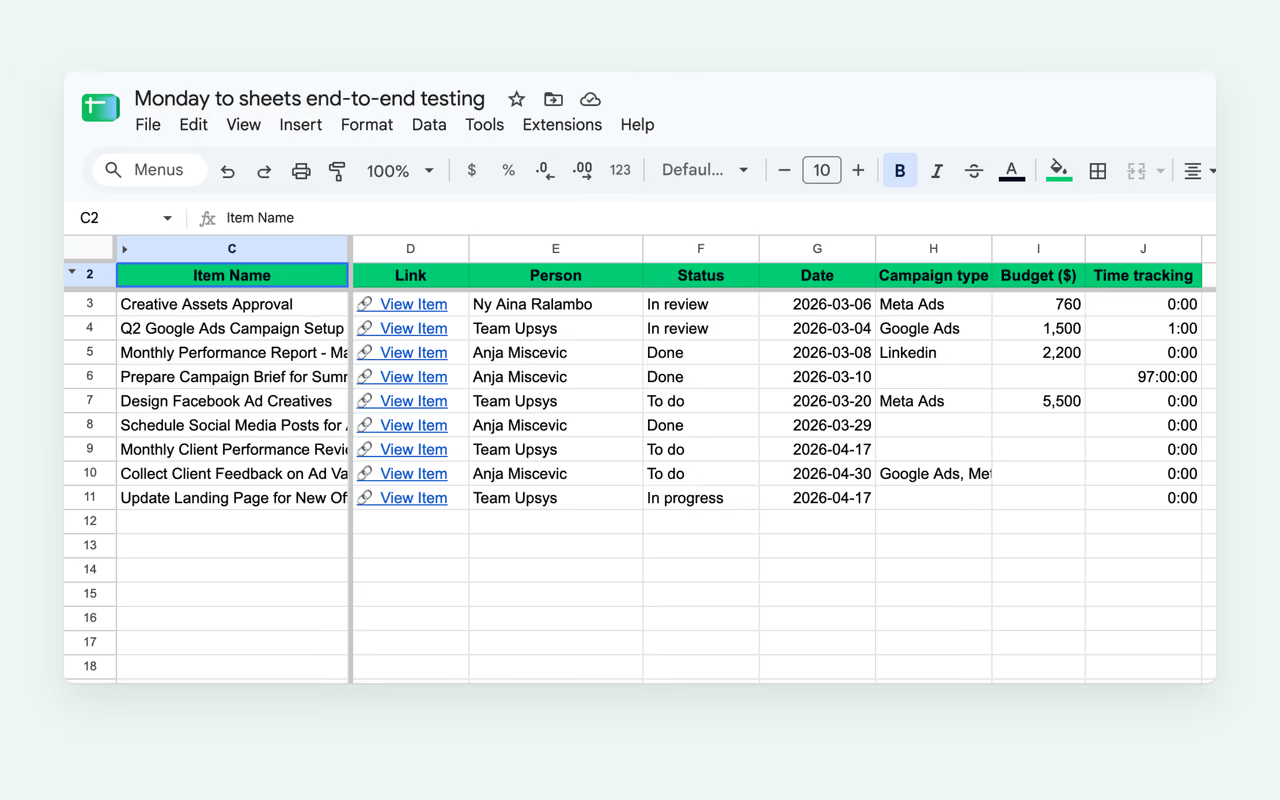
Pull monday.com items into Google Sheets with a single click. Pick a board, or one group on it, and your data flows into your spreadsheet. You can stop exporting by hand.

Get the Add-On

7-day trial. No credit card required.

All column types

Status, people, mirror, formula, subitems

Manual to live

Pick the refresh rate on each sync

Runs in your Google account

Manual and scheduled syncs skip our servers

7-day trial

No credit card required

Up and running in 2 minutes

  1. Install from Marketplace

    Add Monday to Sheets to any Google Sheet. No coding, no IT tickets.

  2. Connect monday.com

    Sign in to monday.com from the sidebar. There's no token to copy or paste.

  3. Pick a board or group

    Choose a sync mode: manual on demand or scheduled every 3 hours on Pro. Items flow straight into your sheet.

Your monday.com board, live in Sheets

Sync items from any board or group into Google Sheets. Pick the refresh rate that fits your workflow.

Monday to Sheets: sync items
01

Sync items

  • Connect any monday.com board, or one group on it, and items appear in your sheet in seconds
  • monday.com column IDs are stored in a protected row so column renames never break your sync
  • Add your own columns next to monday.com data. Your formulas survive every sync, and a report built on them keeps working through renames.
  • Turn on the dashboard and a companion tab adds item totals and a status breakdown
02

All column types supported

  • Status, dropdown, date, timeline, numbers, and formula columns all sync correctly
  • People columns, links, files, and mirror columns render as readable values
  • Computed columns like formula, mirror, and auto number are read-only synced so the sheet never promises an edit monday.com would drop
Monday to Sheets: customize every sync
03

Customize every sync

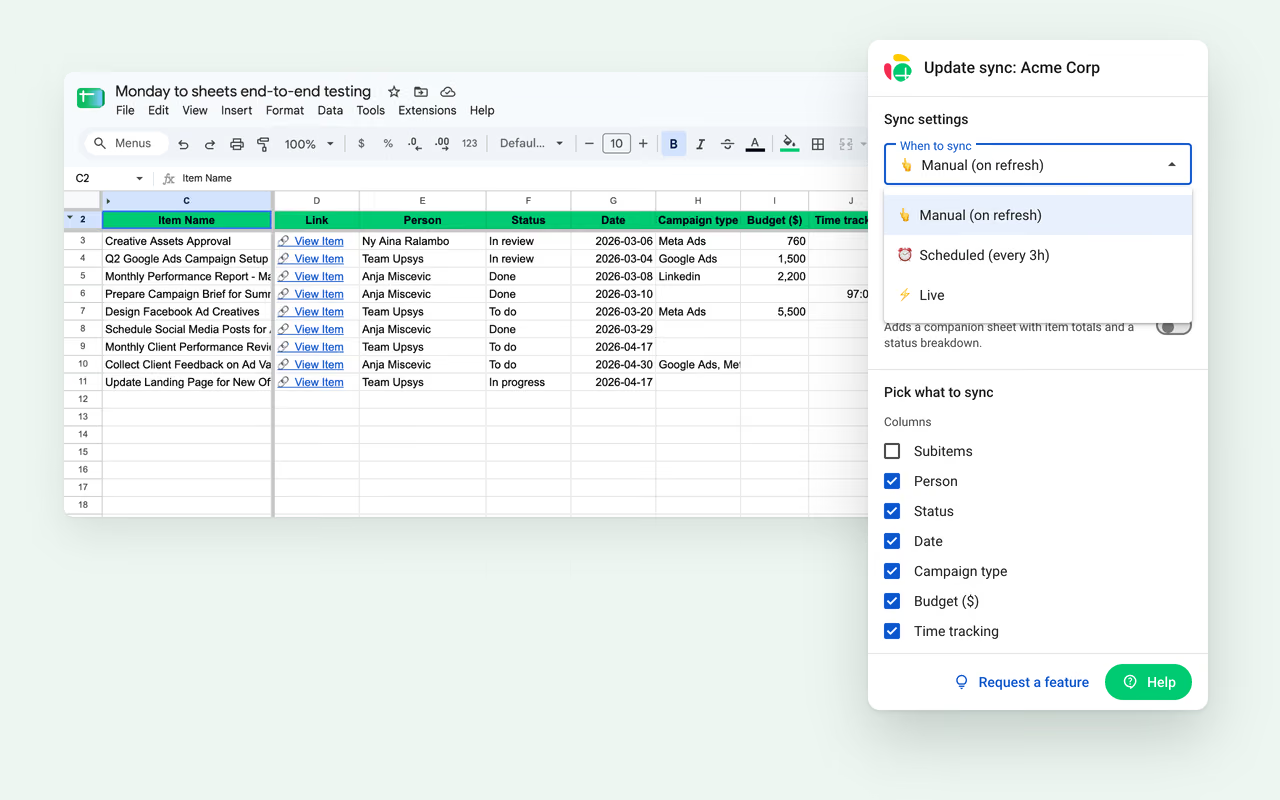
  • Set the frequency per sync: manual, scheduled every 3h, or live within seconds of a change in monday.com
  • Set the direction. One-way keeps the sheet a clean copy, two-way pushes your sheet edits back to monday.com.
  • Choose exactly which columns to import, and re-pick them later without rebuilding the sync

Pick a plan, start syncing today

Try the add-on free for 7 days when you install it.

Starter

For freelancers and solo operators who need a few boards

$ 7 / month

$90 billed yearly

  • Sync up to 3 boards
  • All monday.com column types
  • Manual sync on demand
  • Scheduled syncs (every 3h)
  • Unlimited boards

Business

For organizations with two-way sync and live sync needs

$ 32 / month

$390 billed yearly

  • Unlimited boards
  • All monday.com column types
  • Manual sync on demand
  • Two-way sync
  • Live sync
  • Priority support

You have better things to do than export spreadsheets.

Connect monday.com and see your items in Sheets in 2 minutes.

Get the Add-On

7-day trial. No credit card required.

UpSys builds integrations for monday.com teams

UpSys is a Google Workspace integration studio. We built Monday to Sheets because we saw teams waste hours every week copy-pasting data between tools.

20k+
Installs across our Google Workspace add-ons
100+
Teams across 30+ companies helped
30%
Increase in team delivery capacity on average

Frequently Asked Questions

Common questions about Monday to Sheets. If you can't find yours, support usually replies in a few hours.

Visit Support Center

Your data stays yours

Monday to Sheets connects through monday.com and Google's official APIs. Manual and scheduled syncs run inside your Google account, so your items go straight from monday.com into your sheet. Only live sync routes changes through our backend.